
Moving around
Dragging and scrolling move the picture of the block already read, and leave the address alone. The locus box, the zoom steps, the crumbs and the sequence keys change the range: they read a new block, the address follows, and the back button undoes them.
Pan and zoom
Section titled “Pan and zoom”- Drag, or one finger on a touch screen, to pan; a tap opens what it lands on.
- Scroll up or down, or pinch, to zoom about the pointer.
- Scroll sideways to slide along the map’s columns. On a Mac, hold ⌘ and two fingers move it in any direction.
- Double-click (a double tap), 0, or the first button of the picture row on the Map card (in the Aesthetics panel) undoes every pan and zoom.
Panning and zooming stop at the edges of the block that was read; to see past them, change the range.
Zoom into a region
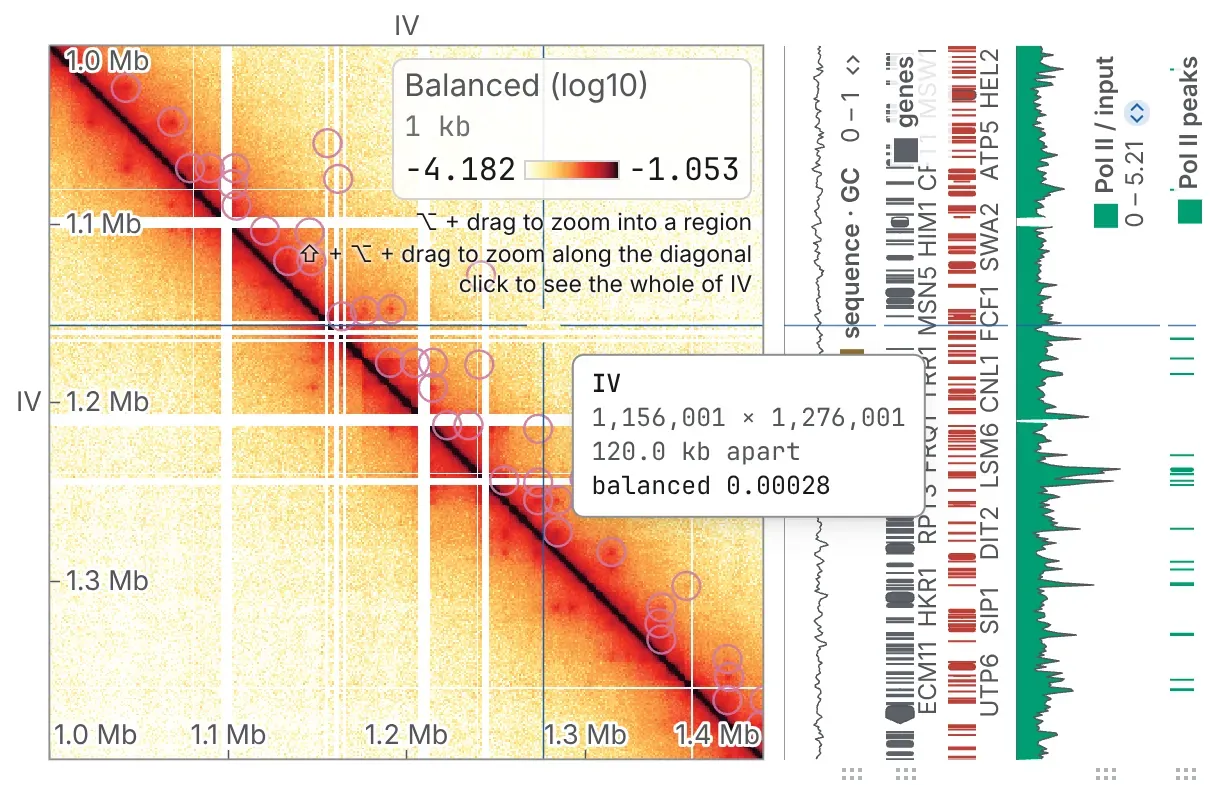
Section titled “Zoom into a region”- ⌥ Option-drag (Alt on Windows and Linux) a box: on the diagonal it opens as a window, off it as the block between its two stretches. Add Shift to keep it square on the diagonal.
- Shift-drag along either axis to zoom the picture to that stretch, on the diagonal. While Shift is down, the readout and the crosshair snap to the diagonal.
- Both copy what they framed, counted from 1 without separators:
chrIV:500001-510000, orchrI:1-10000|chrII:40001-50000for a box, rows then columns. - A click on a window of one sequence opens all of it. On the whole genome, a click opens the chromosome under the pointer or, off the diagonal, the block between two.
Stay on the diagonal
Section titled “Stay on the diagonal”Space, or the diagonal button in the picture row, slides the view onto the diagonal and keeps every drag, scroll, arrow key and ⌥ Option-drag box on it until you press again. The lock holds from one sequence to the next and on every map of a deck, and this browser remembers it. It is greyed on a block the diagonal does not cross, and on a turned map.
Type a place
Section titled “Type a place”The box beside the heading shows the window as IGV, UCSC and papers print it,
IV:1,000,001-1,400,000: counted from 1, both ends included, so a coordinate copied from another
browser lands on the same bases. Type a place and press Enter or go; /
puts the caret in the box.
| Type | To open |
|---|---|
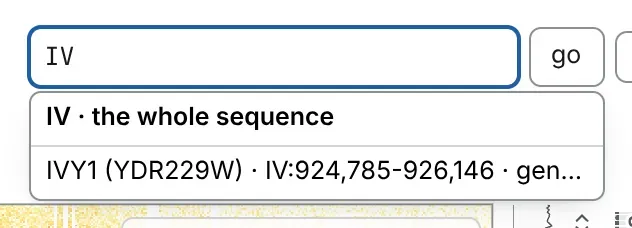
IV |
the whole sequence |
IV:1,000,001-1,400,000 |
that window; commas optional, and IV:1.2Mb-1.4Mb, an en dash and Ensembl’s IV:1000001..1400000 are read too |
I:1-200,000 × II:1-200,000 |
the block between two windows, rows then columns |
| a gene’s name or accession | that gene, from the starred feature set (below) |
a band, such as Xq28 |
that band, from a cytoBand you have loaded |
Between two windows, an x with a space either side, a |, or a space before the second name works
as well as ×. A sequence may be spelt as another tool spells it (chr1 for a file that says 1);
a name the file does not have is refused, with the names it has.
Go to a gene
Section titled “Go to a gene”Load a gene model, or any named features, and the box searches it as you type, by name or accession: up to ten matches, an exact name first. Picking one frames the gene with a quarter of its length either side. The box searches the set whose star is filled on the Tracks card; press another row’s star to switch.
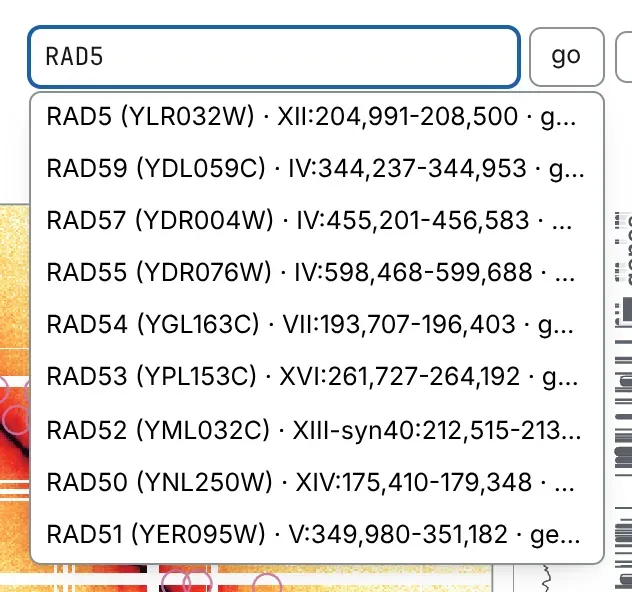
A sequence’s name still opens the sequence: it heads the list, above the genes that begin with it, and Enter opens it.
Go to another sequence
Section titled “Go to another sequence”- > and < (. and , on a QWERTY keyboard), or the
‹ ›buttons beside the title, open the next and the previous sequence in the file’s order. - In the Chromosomes table, from the crumb after the file’s name or c, click a row.
- On the Sequences card, in the General panel, click a name for the whole sequence, or tick several to draw them against each other; show the whole genome clears the ticks.
- In the Whole genome, from the arrow beside the Chromosomes crumb or w, click a cell. Where it is a large read, it waits for a button that says what it will read.
- The Genome minimap, in the General panel, marks the view on every sequence laid end to end: click a sequence’s band to open it, or drag across the strip for a window.
Zoom and step by range
Section titled “Zoom and step by range”The buttons beside the box, 10× and 3× out and 3× and 10× in, scale the window about its
centre and read it again, from one bin up to the whole sequence. The two arrows after go move
the window half its width upstream or downstream. On a block between two sequences they are all
greyed.
Resolution and the zoom
Section titled “Resolution and the zoom”Scrolling does not change the resolution chosen in the bar
(Resolution): zooming in magnifies the cells of the block
already read. A wide window may be read coarser, its bins summed, and the line under the heading
says what one cell is worth: 4,033 × 4,033 bins · effective resolution: 3 kb.
To see finer data, narrow the window, down to the resolution chosen. Or turn on Refine on zoom in the command palette (⌘ P or Ctrl P): zooming in past what the block can show then reads it again, finer; Esc calls it off. It applies to every map, and this browser remembers it.
Crumbs, back and forward
Section titled “Crumbs, back and forward”Click a crumb in the trail above the view to go back to it: the file’s name (which opens another file), the Chromosomes table (its arrow switches to the Whole genome), the sequence, the window. The far end of the bar holds the map’s resolution and contacts (Reading a contact map).
Go back and Go forward, in the window’s header, are the browser’s back and forward; the chevron beside Go back lists up to twenty earlier steps, nearest first, to jump to one.
A step is a crumb, a typed locus, a zoom or pan button, or a change of sequence; a drag, a scroll or
a pinch is not. So a link you copy opens the window you opened, not wherever you panned. In the
genome browser, the address (locus=) follows every move without adding steps.
From the keyboard
Section titled “From the keyboard”Besides the keys above, - and + step one resolution coarser or finer,
b bookmarks the view, and ? lists every shortcut. Once you have clicked the
map, the arrow keys pan, Page Up and Page Down zoom about the centre, and
Home refits. Once you have clicked the genome browser’s tracks, the arrow keys pan,
- and + zoom by three like the 3× buttons, and 0 shows the whole
genome. The full list is in Keyboard and command palette.
Documentation of chromosomix v0.20.0 · built from 40ec1ec · source