
The guided tutorial
The guided tutorial is a first session in the live window, one step at a time: everything is greyed but the control a step is about, and a card says what to do with it. You press every control yourself, on real data, and the tutorial moves on once you have done what it asked.
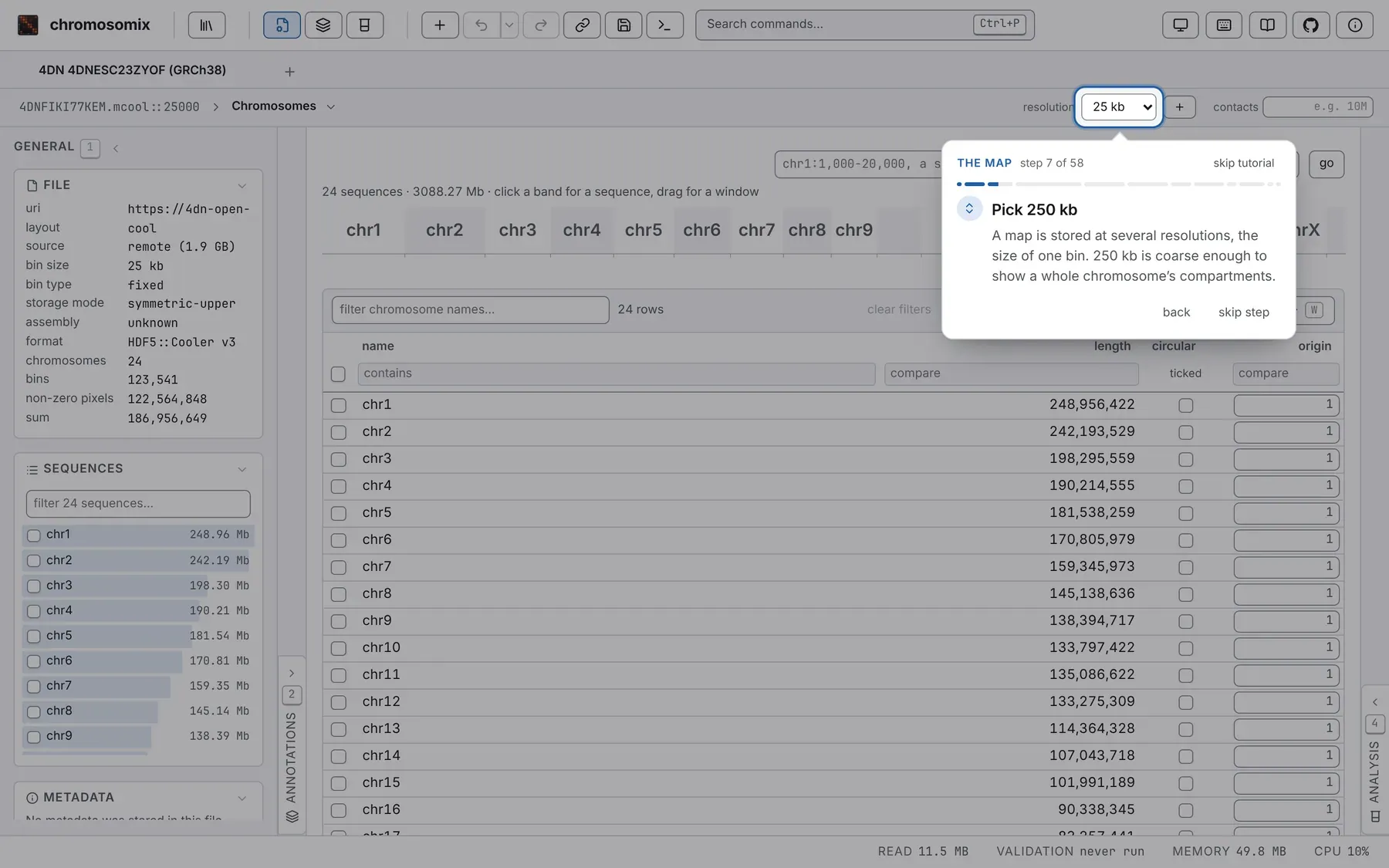
You open a Hi-C map from the 4D Nucleome project (4DN), find its compartments, its domains and a loop, save what you made, and set your results against 4DN’s.
Where to start it
Section titled “Where to start it”- On the landing page, under New here?: play the tutorial.
- In About this viewer, at the right of the header, on its first tab.
- In the command palette: Guided tutorial, under Help.
It never opens by itself. The single HTML file and an embedded viewer have no data stores, where it begins, and do not offer it. Started from the beginning over a tab that holds something, it opens a tab of its own.
What you need
Section titled “What you need”- A network connection: the data are read from 4DN’s public bucket.
- A mouse or a trackpad for two drags across the map, or their zoom for me buttons.
- Somewhere to save a bigWig and a PDF: those steps are done once the file is saved, so accept your browser’s save dialog if it opens one.
The data
Section titled “The data”4DNESC23ZYOF, in the 4DN store: in situ Hi-C (DpnII) of K562 cells on GRCh38 (Belaghzal et al.
2021), 186,956,649 contacts, in a 1.9 GB 4DNFIKI77KEM.mcool read by range. 4DN’s own compartment
eigenvector at 250 kb (4DNFI3OPG4RB), insulation score (4DNFI4GZZC7Z) and boundaries, from the
same map, are what your results are set against.
Every task runs on chr15, whose long arm has broad, clean compartments. In
chr15:38,100,001-50,025,000, the domain from 45.66 to 48.32 Mb is closed by a loop,
chr15:45,662,501 × chr15:48,312,501, and split into two subTADs by a weak border at
chr15:47,215,001: the two places you mark.
Tasks keep their defaults but two. You set insulation’s scales to 4: a window of 10 bins (50 kb at 5 kb), doubled three times to 100, 200 and 400 kb. And the tutorial sets the Compartments task’s gene model to none, so nothing decides the sign of E1: yours may match 4DN’s upside down, at a correlation of −1.
The parts
Section titled “The parts”Fifty-eight steps in twelve parts, each named on the card:
- Welcome.
- The 4DN store: open
4DNESC23ZYOFwith its tracks. - The map: the General panel, 250 kb, chr15, moving about, the Aesthetics panel.
- Compartments: the correlation plaid, then the task on chr15, its saddle, and your E1 against 4DN’s.
- Zooming in: a drag holding ⇧ Shift and ⌥ Option (Shift and Alt off a Mac), 5 kb, O/E and 3 × 3 smoothing.
- Insulation at four scales, read as a hierarchy of borders.
- Marks on the loop and the weak border.
- Tracks: your insulation as a bigWig; the domains as a 1D track.
- The figure as one vector PDF.
- Track correlation: your tracks against 4DN’s.
- The console: every file opened and every run, as a command.
- Done.
Some steps have a button that does them for you: type it for me, set it for me, mark it for me, tick them for me.
The card, and how a step moves on
Section titled “The card, and how a step moves on”The card shows the part, step n of 58, a bar of your progress and skip tutorial. At its foot, back and next; next reads skip step while the step waits on you, and finish on the last.
- A step moves on once what it asks is done, by the lit control, a key or the command palette; its icon turns into a tick.
- A name to type is coloured, often with a button that copies it; the accession blinks if what you type cannot become it.
- A press on the grey only pulses the ring round the control to press; inside the lit hole, everything works as usual.
- A control off screen is named on the card with what to do. If what a step needs has gone, the tutorial goes back to the step that brings it.
- Steps already done go by on their own going forward; going back shows them and waits.
- ← and → go back and on wherever the keys are not a control’s own; → never skips a step that is waiting on you.
- A dialog sets the tutorial aside until it closes.
With reduce motion on in your system, the card jumps rather than glides, and nothing pulses or blinks.
Leaving and coming back
Section titled “Leaving and coming back”skip tutorial leaves at any step. Your place is kept in this browser, and the landing page and About then offer resume at step n of 58 and start over.
A resume lands on the first step of the part you left, and steps whose state still holds go by on their own. start over begins again, in a tab of its own. After finish, both places offer play the tutorial again. The place kept is listed under What this browser is remembering.
Your first map is the same session at your own pace, without the card.
Documentation of chromosomix v0.20.0 · built from 40ec1ec · source